TICKETS · チケット
How to buy tickets
Every show's tickets are sold in the A Lot Of Tone app — the steps below take you from download to the entry-gate scan.
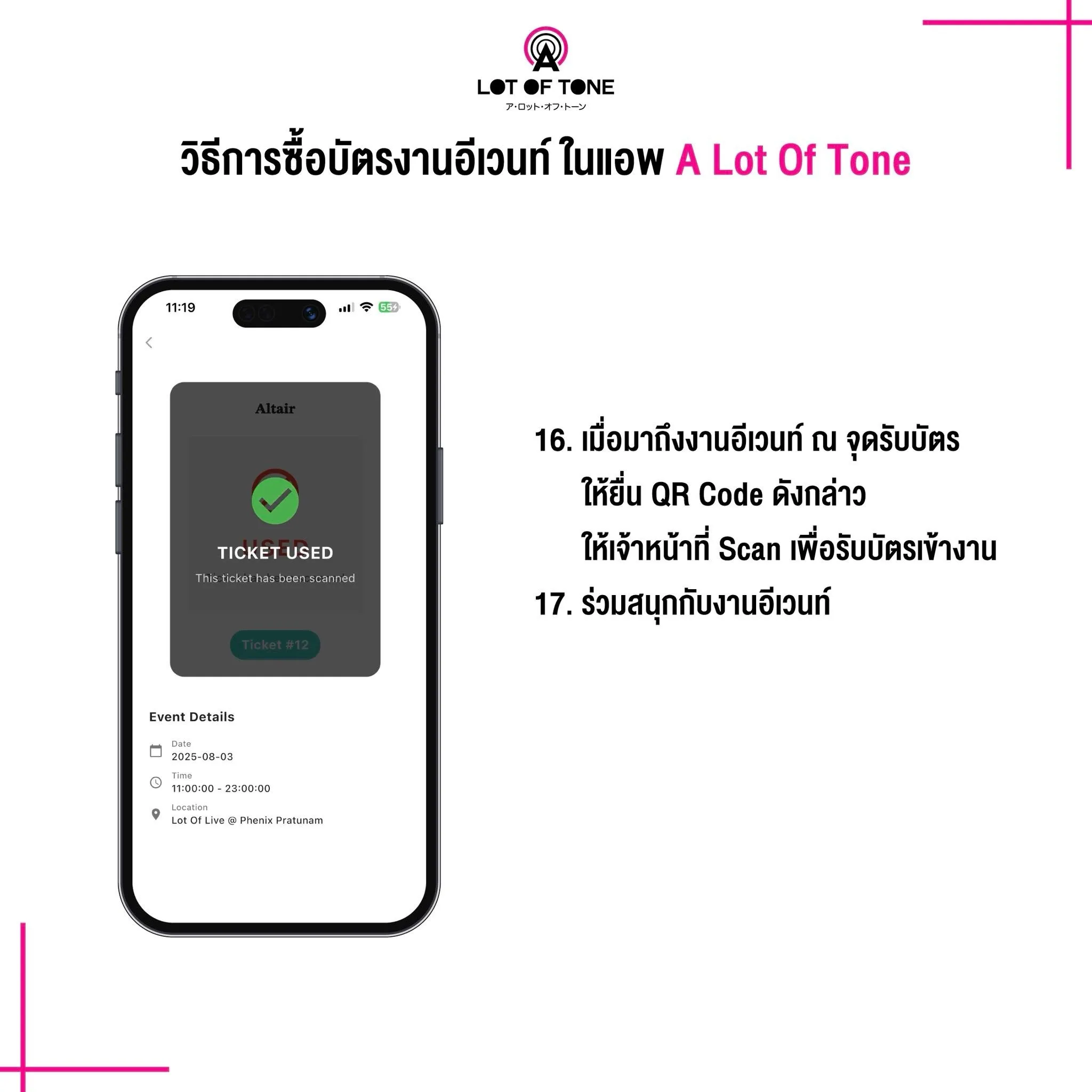
Download the A Lot Of Tone App here
Download the A Lot Of Tone app from the App Store or Google Play.
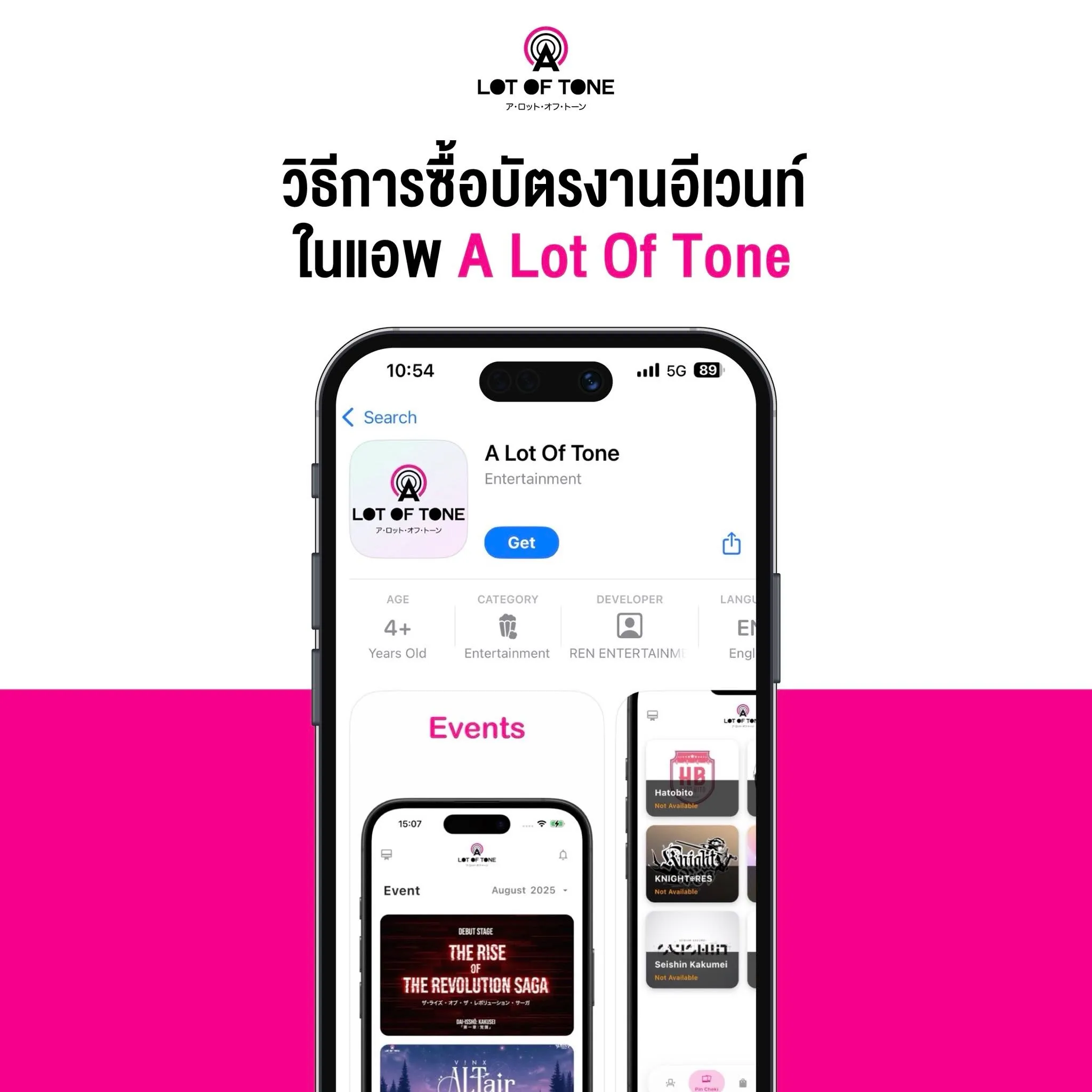
Register an account, open the Ticket tab (bottom left) and tap the event you want.
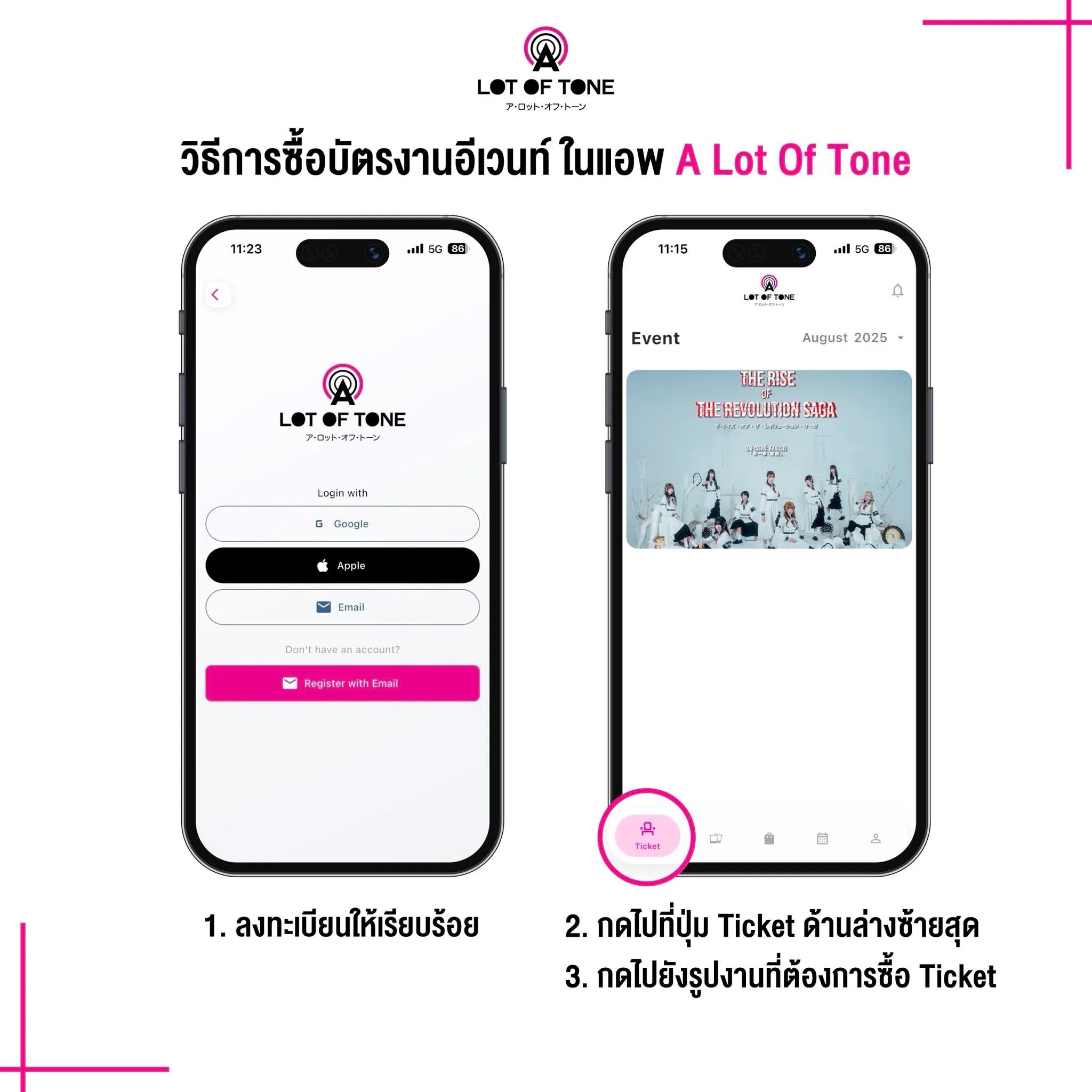
Pick a ticket type, fill in your details, check the total and press Purchase Tickets.
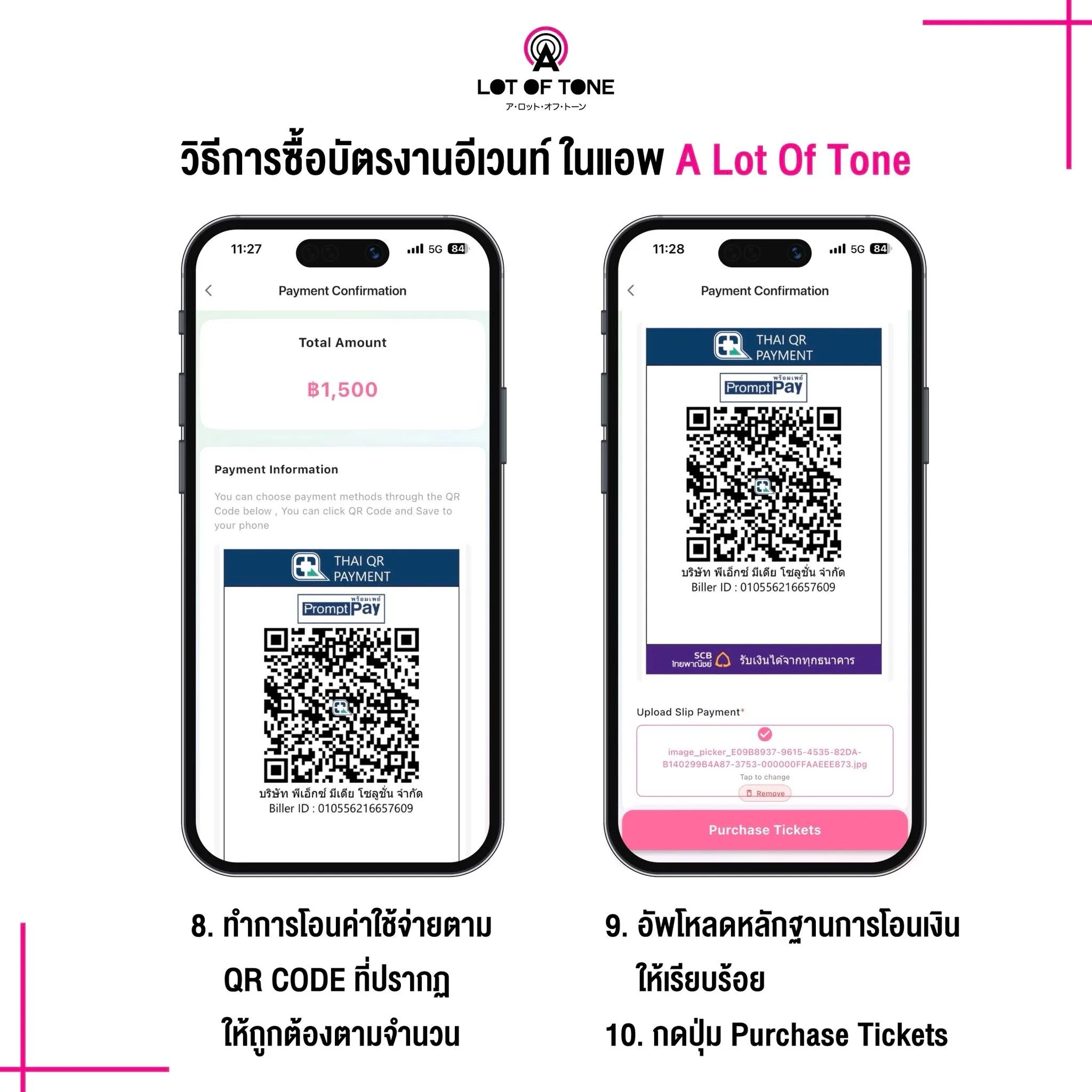
Pay the exact amount via Thai QR / PromptPay, then upload your transfer slip.
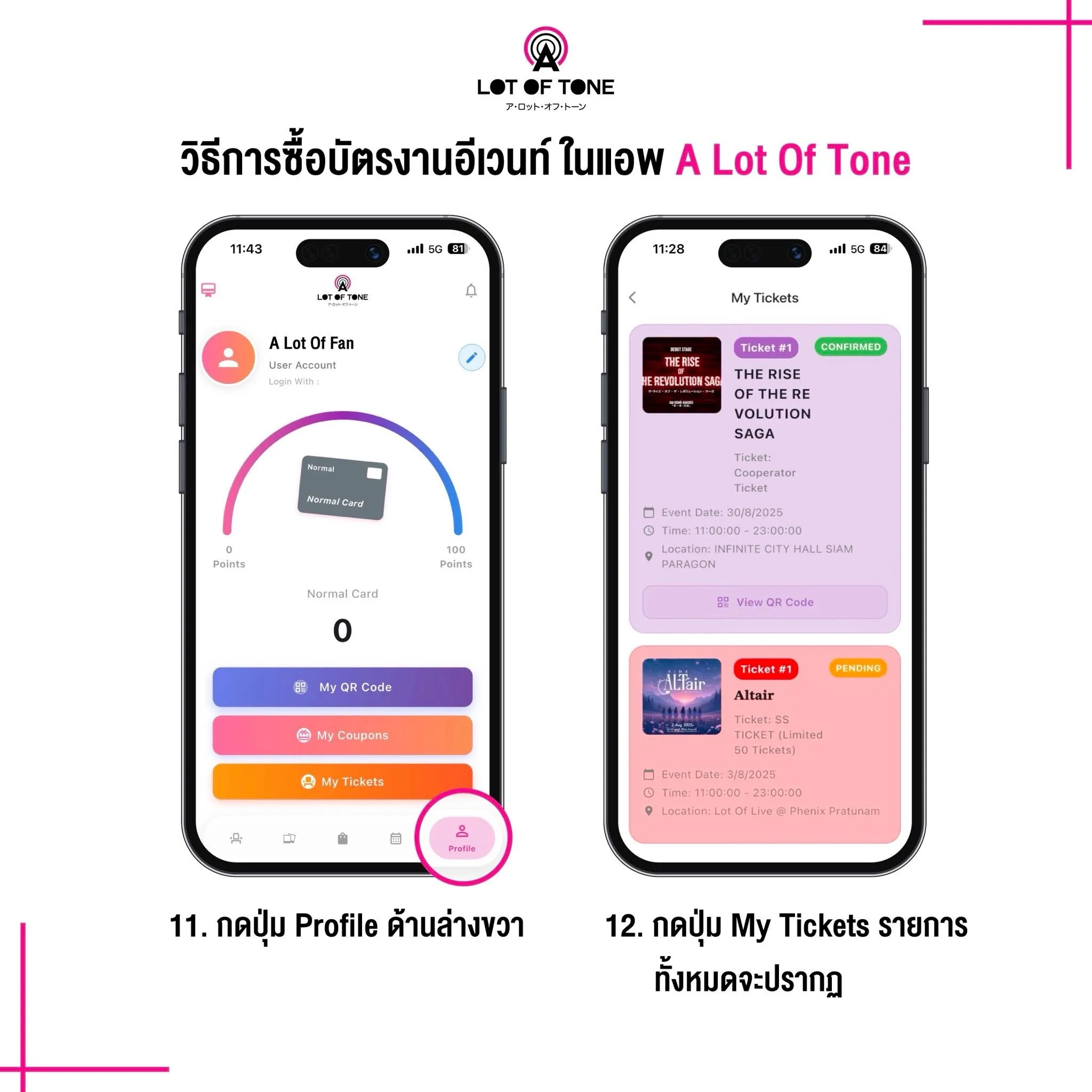
Find your tickets under Profile (bottom right) → My Tickets.
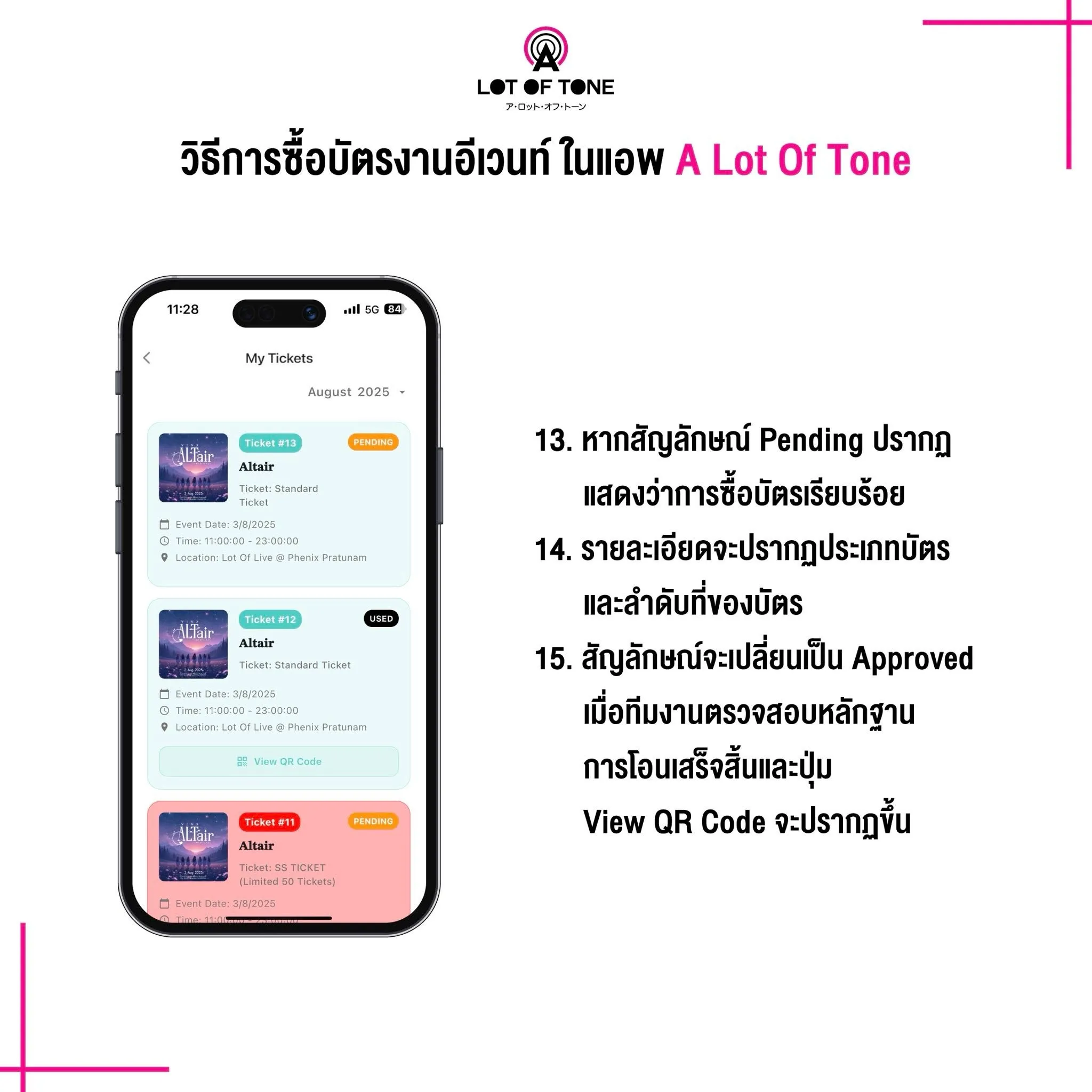
Pending means your order is in; once the team verifies the slip it turns Approved and View QR Code appears.
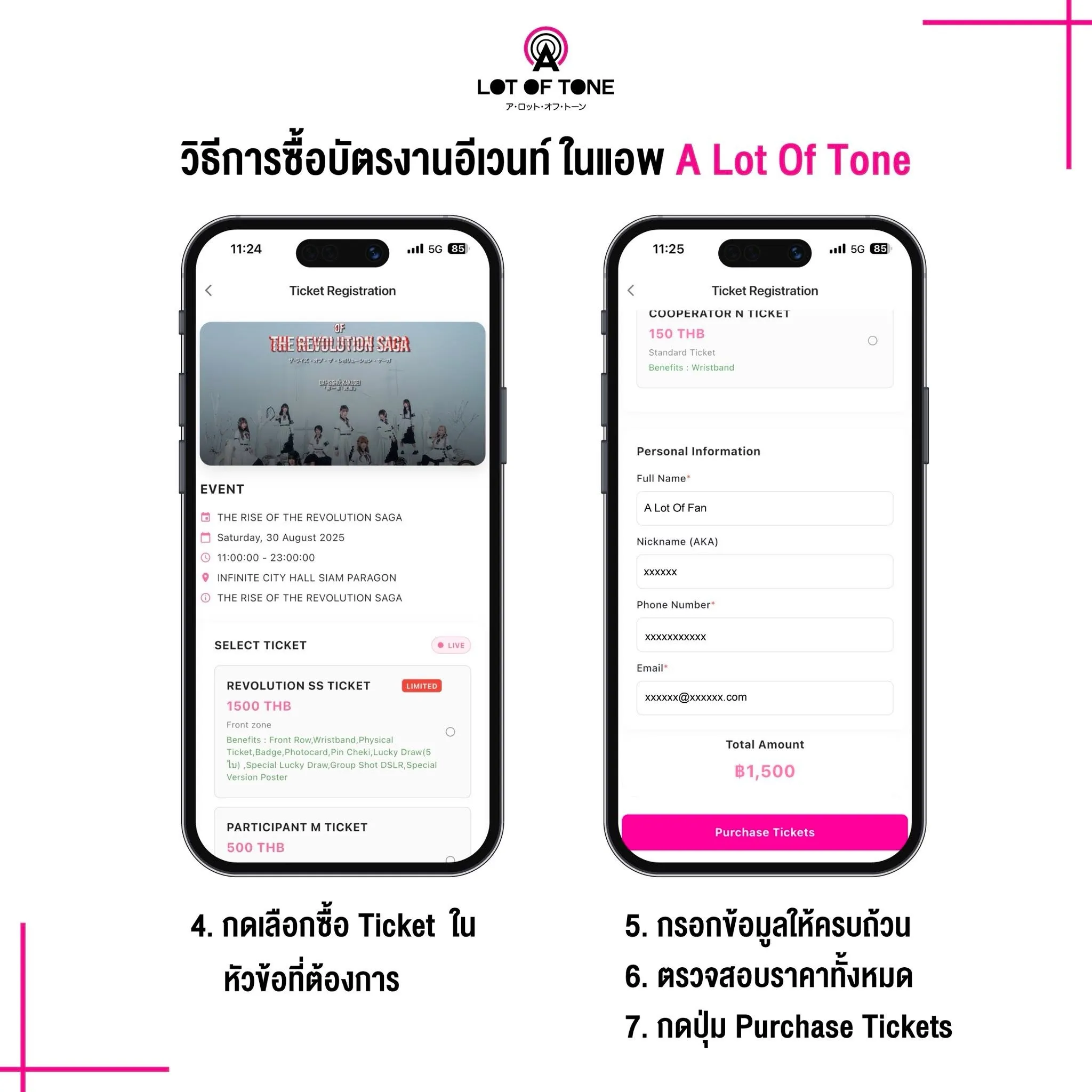
On the day, show your QR code at the ticket desk for scanning — then enjoy the show!